§1.2 Memory and Storage
How is data stored and represented in a computer — from binary to images, and from RAM to hard drives?
Data Representation of Images
- Data Representation of Images — real image files at 1, 4, 8 and 24-bit colour depth. Calculate the size, download the file, and check it to the exact byte.
Data Representation of Sound
- Data Representation of Sound — real sound files at different sample rates and bit depths. Listen, calculate the size, download the file, and check it to the exact byte.
Practice
- §1.2 Memory and Storage practice questions — 11 printable question sets from the PG Online textbook pack
Covered so far
- Why data must be binary — bit, nibble, byte
- The kB → PB ladder and capacity calculations
- Place value: denary ↔ binary, up to 8 bits
- Hexadecimal: base 16, and the binary ↔ hex nibble trick
- Hex in practice — including hex colour codes
This week
- Binary addition
- Overflow
- Binary shifts — left multiplies, right divides
Still to come
- Characters: character sets, ASCII, Unicode
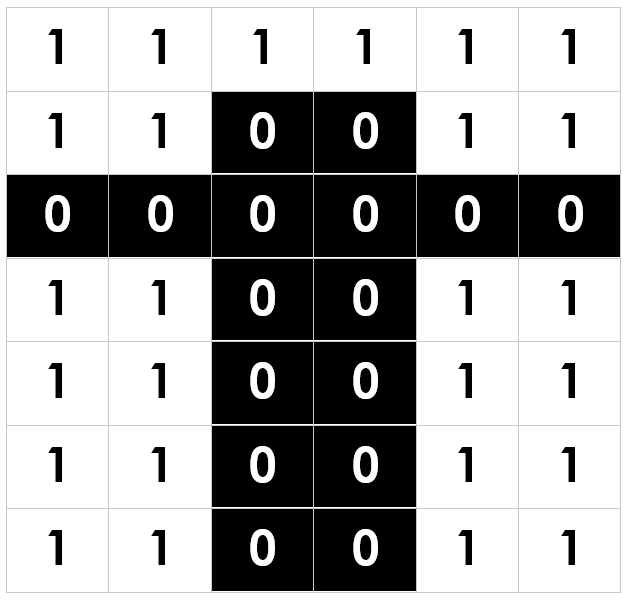
- Images: pixels, colour depth, resolution, metadata
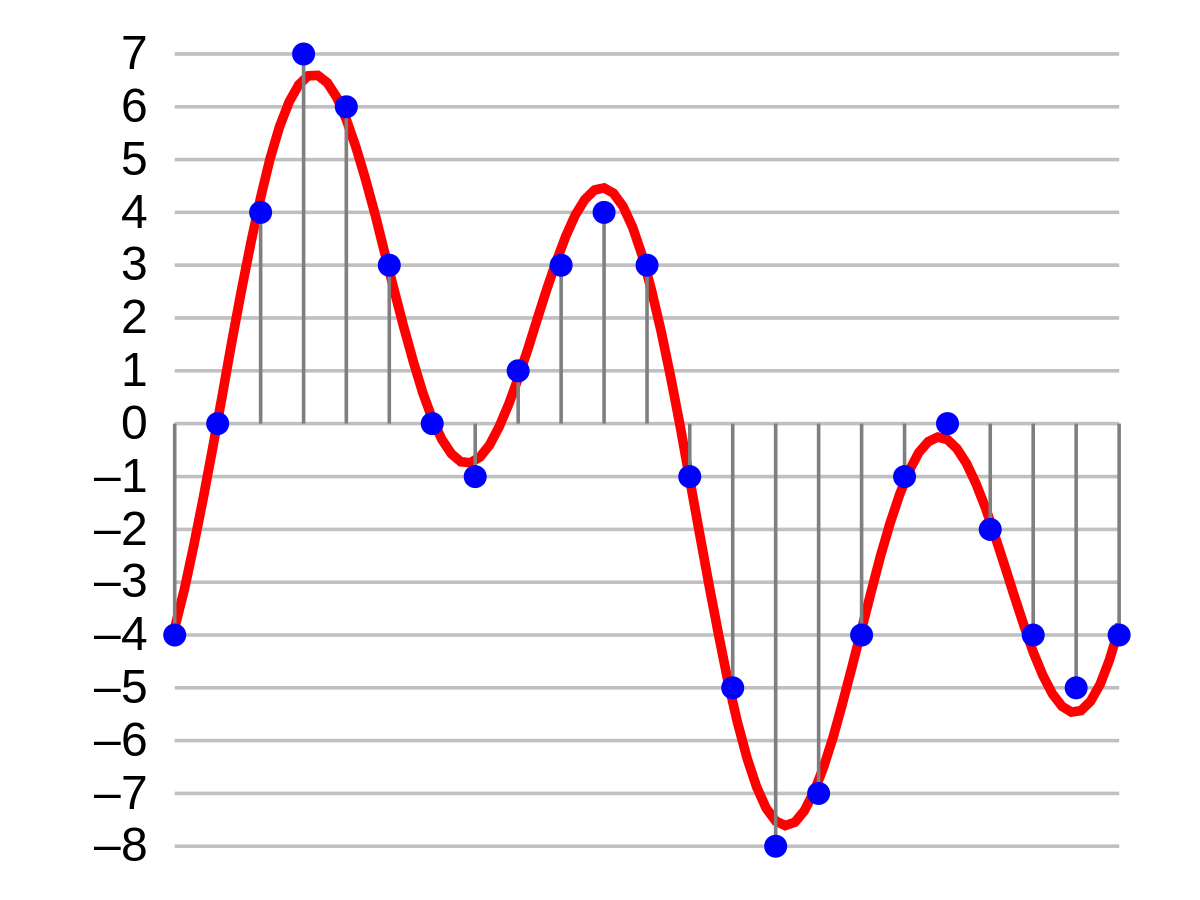
- Sound: sample rate, bit depth, duration
- Compression: lossy and lossless
- Primary storage: RAM, ROM, cache, virtual memory
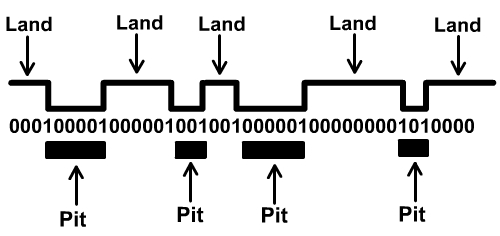
- Secondary storage: optical, magnetic, solid-state
Quiz — Thursday 17 September. Booklet pp. 2–16, 20 minutes, self-marked. · Unit test — Tuesday 6 October. The whole of §1.2, 37 marks.
Revision
Three explanations of each idea, from three different teachers — if one does not land, try the next. Then practise it.
Units of data storage1.2.3
Bit, nibble, byte, and the kB → PB ladder — then using it to work out how big a file is.
Practise2.3 Units — notes and questions CSNewbs
Binary and denary1.2.4
Place value both ways: denary → 8-bit binary, and 8-bit binary → denary.
PractiseDenary → binary drill 101 Computing · Binary → denary drill 101 Computing · 2.4a Number systems CSNewbs
Hexadecimal1.2.4
Base 16, and the nibble trick — split eight bits down the middle and read each half.
PractiseDenary → hex drill 101 Computing · Hex → denary drill 101 Computing · Binary → hex drill 101 Computing · Hex → binary drill 101 Computing
Binary addition and overflow1.2.4
Adding two 8-bit numbers, carrying, and what happens when the answer will not fit in eight bits.
PractiseBinary addition drill 101 Computing · 2.4b Binary addition and shifts CSNewbs
Binary shifts1.2.4
Left shift multiplies by two, right shift divides by two — and bits fall off the end.
PractiseBinary shift drill 101 Computing · 2.4b Binary addition and shifts CSNewbs
Videos remain on their creators' YouTube channels and are embedded, not copied. Practice pages link out to their own sites. Craig'n'Dave · Mr Moore · CSNewbs · 101 Computing.
All data inside a computer is ultimately stored as binary — sequences of 0s and 1s. A bit is the smallest unit; 8 bits make a byte; units scale by 1,000 from there (kilobyte → megabyte → gigabyte → terabyte → petabyte). The same binary digits can represent different things — a number, a character, part of an image — depending on context and encoding. ASCII and Unicode define how characters are encoded; image and sound files are binary sequences whose file size can be calculated from colour depth × resolution and sample rate × duration × bit depth respectively.
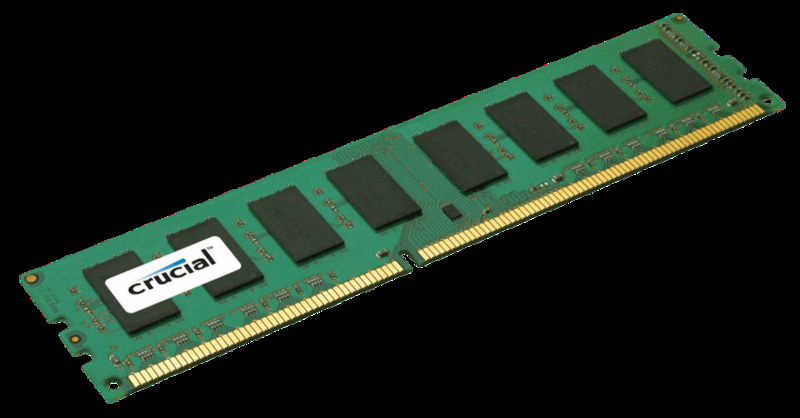
Memory sits in a hierarchy. Cache (tiny, very fast) feeds the CPU first; RAM (fast, volatile) holds running programs and data; secondary storage (slow, non-volatile — magnetic, optical, solid-state) holds everything else when the power is off. When RAM is full, the OS moves data to a virtual memory area on secondary storage — slower, but it prevents crashes. The choice of secondary storage type depends on the application: SSDs are fast but expensive; HDDs are slow but cheap and large; optical media (CD/DVD/Blu-ray) is portable but slow.
Key formulas and facts
What students must understand
- Units: bit, nibble (4 bits), byte (8 bits), KB, MB, GB, TB, PB (each 1,000 × previous)
- Binary to denary and back (up to 8 bits); binary addition including overflow
- Hexadecimal: base-16; convert denary ↔ hex (2 digits, 00–FF); convert binary ↔ hex
- Binary shifts: left shift multiplies by 2; right shift divides by 2
- Characters: character sets; ASCII (8-bit, 256 characters); Unicode (up to 32-bit, covers all languages)
- Images: pixels; colour depth and resolution affect quality and file size; metadata
- Sound: sample rate (Hz), bit depth, duration; higher values → better quality, larger files
- Compression: lossy (some data removed permanently, e.g. MP3, JPEG) vs lossless (data fully recoverable, e.g. PNG, ZIP)
- Primary storage: RAM (volatile, fast, holds running programs) vs ROM (non-volatile, holds boot instructions)
- Cache: very fast memory between CPU and RAM; hit/miss; larger cache → fewer slow RAM accesses
- Virtual memory: overflow from RAM to secondary storage when RAM is full; slower but prevents crashes
- Secondary storage: optical (CD/DVD/Blu-ray), magnetic (HDD), solid-state (SSD) — compare on capacity, speed, portability, durability, reliability, cost
Diagrams
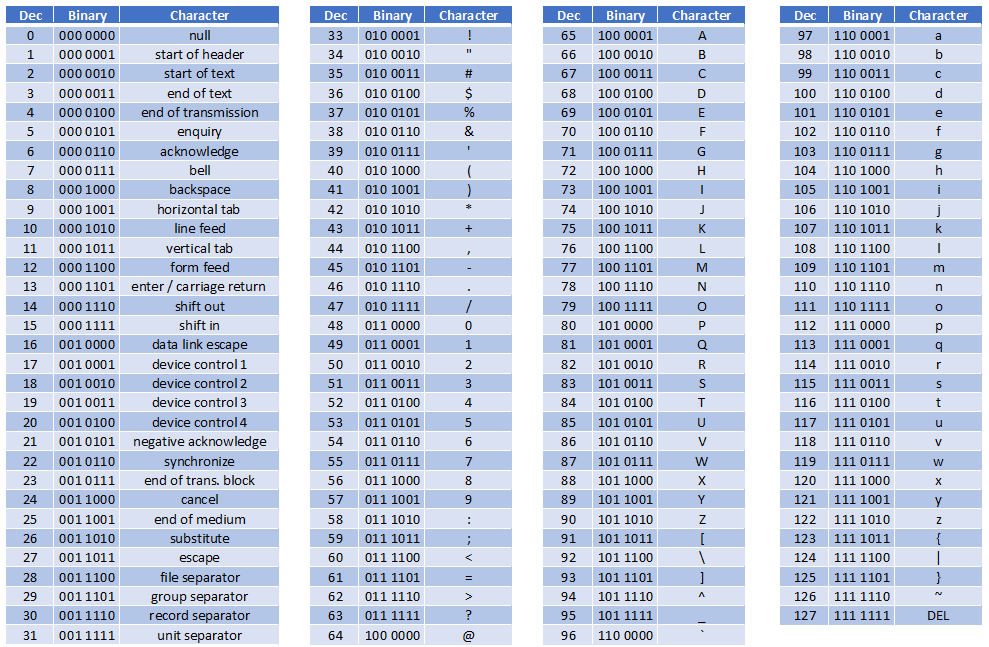
Diagrams: PG Online (Paul Long), OCR J277 textbook. Used under the school site licence.
Linking questions
- Where is data stored while the CPU is processing it? → §1.1 Systems Architecture (registers, cache)
- What do compression utilities do, and why are they system software? → §1.5 Systems Software