§2.3 Producing Robust Programs
How do you design programs that handle unexpected inputs — and how do you verify they actually work?
Robust programs anticipate misuse. A user will enter text where a number was expected, leave fields blank, type a negative value for age, or try to log in with someone else's credentials. Defensive design builds in checks before these inputs can cause harm — input validation rejects data that doesn't meet the rules; authentication verifies the user is who they claim to be. These are programming decisions made at design time, not patches added later.
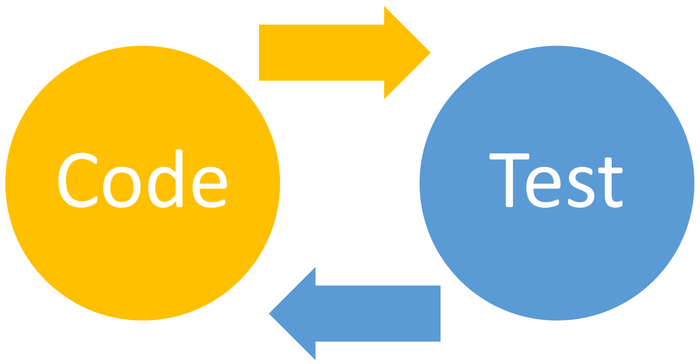
Testing verifies that a program actually does what it is supposed to. OCR's distinction between normal (valid), boundary (at the edge of valid), invalid (correct type but outside range), and erroneous (wrong type entirely) test data is a key discriminator in the exam. A test table shows input → expected output → actual output → pass/fail. Iterative testing happens throughout development; final/terminal testing happens at the end. The difference between a syntax error (the code doesn't run) and a logic error (the code runs but gives the wrong answer) maps directly to different types of testing tool.
Test data types — the four-way OCR distinction
What students must understand
- Defensive design: anticipate misuse and build in safeguards at design time
- Authentication: verify user identity — username + password; two-factor; CAPTCHA
- Input validation: check that inputs meet the required criteria (range, type, format, presence) before processing
- Maintainability: writing code so others (or your future self) can understand and modify it
- Maintainability techniques: meaningful variable names, consistent indentation, useful comments, use of sub-programs
- Purpose of testing: confirm the program works correctly for all expected (and unexpected) inputs
- Iterative testing: test as you build — find and fix errors before they compound
- Final/terminal testing: test the completed program against all requirements
- Syntax error: violates the rules of the language; program will not run; caught by the translator
- Logic error: program runs but produces incorrect output; must be found through testing/trace tables
- Normal test data: should be accepted and processed correctly
- Boundary test data: at the limit (e.g. first and last valid value); reveals off-by-one errors
- Invalid test data: correct type, wrong range; should be rejected with informative error message
- Erroneous test data: wrong type; program must handle gracefully without crashing
- Refining algorithms: after testing, modify pseudocode/code to fix errors and improve efficiency
Diagrams
Diagrams: PG Online (Paul Long), OCR J277 textbook. Used under the school site licence.
Linking questions
- How does input validation prevent SQL injection? → §1.4 Network Security
- How do trace tables help you identify logic errors in algorithms? → §2.1 Algorithms
Practice
- §2.3 Producing Robust Programs practice questions — 3 printable question sets from the PG Online textbook pack